
DIY Personalized Gift: Name Coasters Made Using a Cricut Explore Air 2 & Infusible Ink

This is a sponsored conversation written by me on behalf of Cricut. The opinions and text are all mine.
Are you looking for an easy to make yet quality personalized gift you can make with your Cricut?

For most of my growing up years as the third of seven children money was tight. Because of this, my parents encouraged us to make Christmas. We would buy supplies with money we had saved up (as well as the money Grandpa would give us each Christmas) and then with anything leftover, we would buy a few gifts (usually books) for each other.
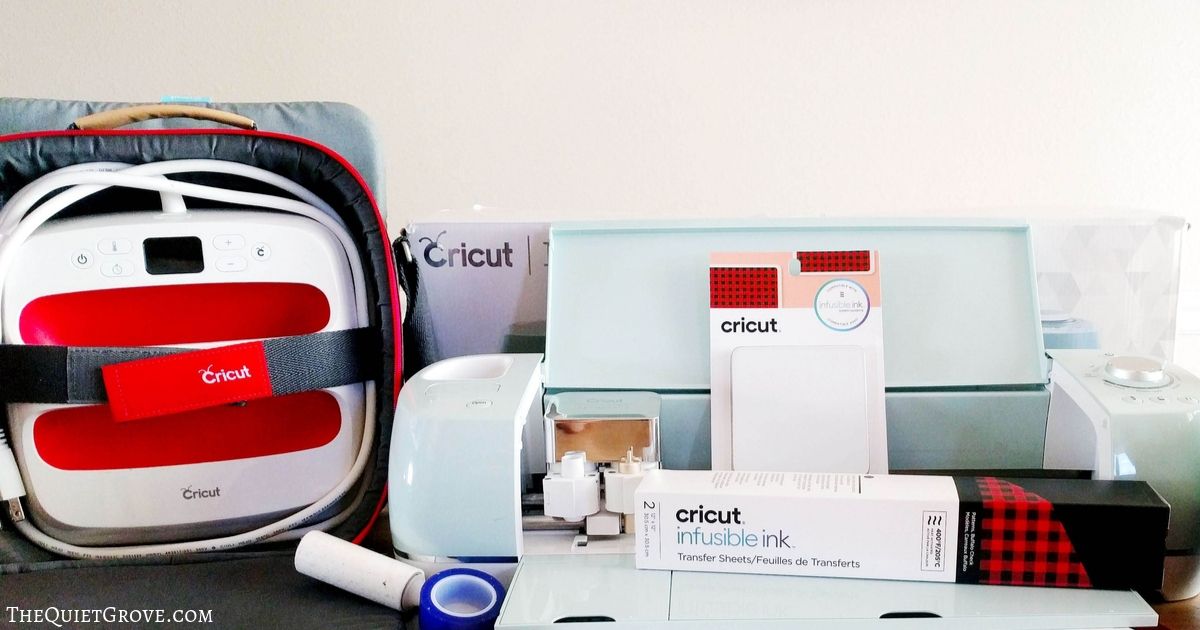
When I grew up and got married I decided to continue that tradition of making personalized gifts for my family and friends. Usually, these gifts would take hours, days and sometimes weeks to complete. Thanks to my Cricut Explore Air 2 which can work with over 60 different materials, I can easily make beautiful and quality personalized gifts in a fraction of the time. My Explore Air 2 can score materials, cut materials and even draw on materials making it a great machine for any crafter (or want to be crafter.)

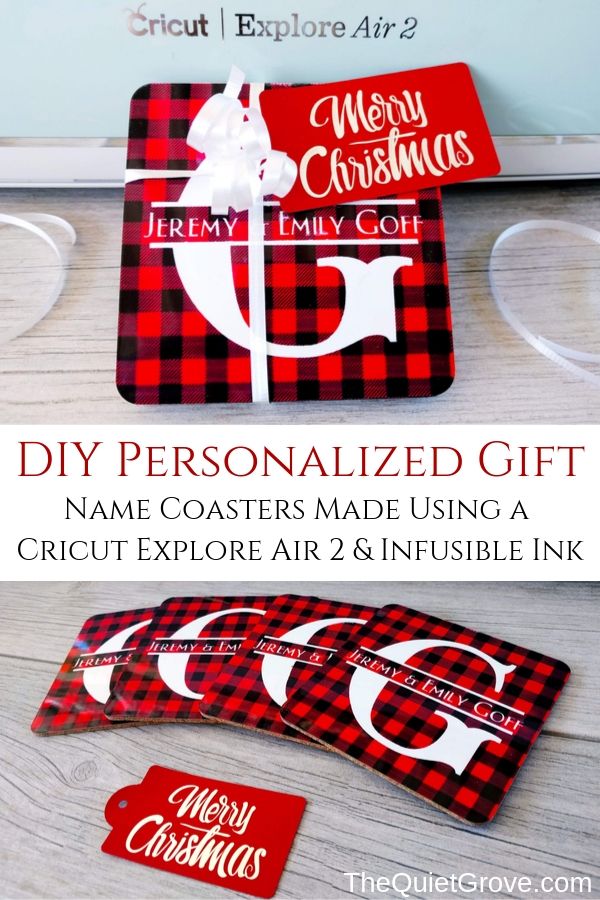
This year for my personalized gifts I decided to start with a gift for my younger brother who just got married and his sweet wife whom I adore. They just baught a house which they are in the process of fixing up. For Christmas I wanted to make a gift that would be useful in their new home and would fit their personality. My sister-in-law says her favorite color is plaid so I decided to make these adorable Plaid Infusible Ink coasters with their names within a Split letter monogram on them.

Today I want to show you how I made these adorable coasters Following the step by step, you can make your own personalized coaster and gift tags now. Or you can pin this to your DIY gift board on Pinterest for later.
DIY Personalized Name Coasters.

Learn how to use Infusible Ink and the Easypress 2 to Make Personalized name coasters. These make for great Christmas Gifts (or even wedding gifts.)
Materials
Tools
Instructions
Instructions for Customizing Design & Cutting:
Click on Cricut Design Space for Name Coasters -->HERE<--
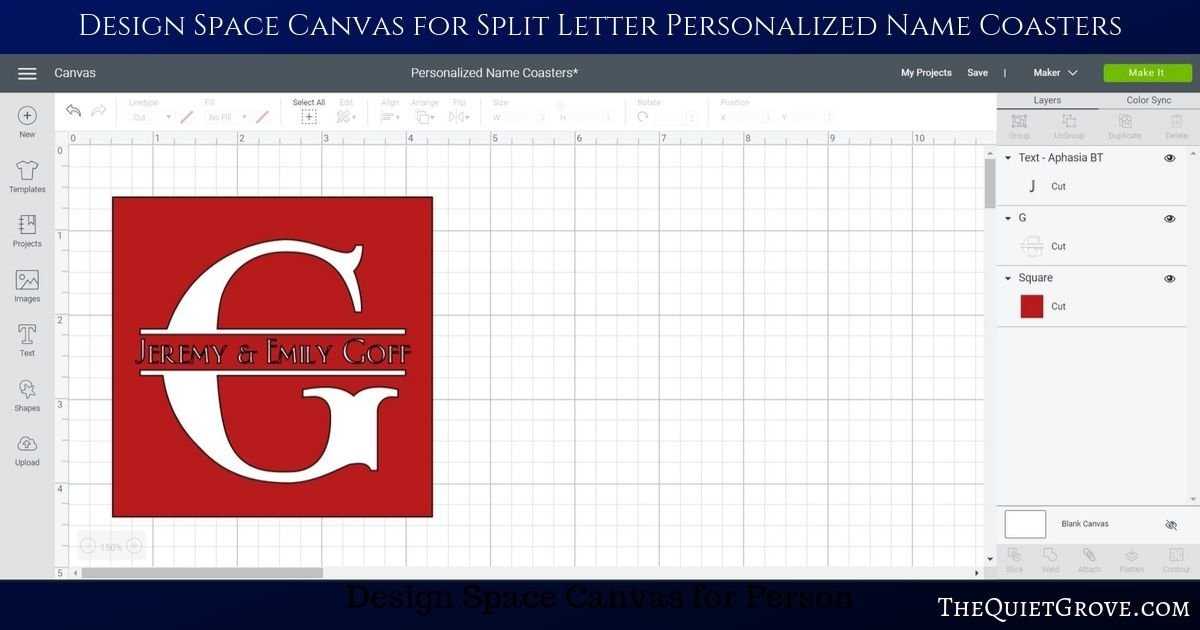
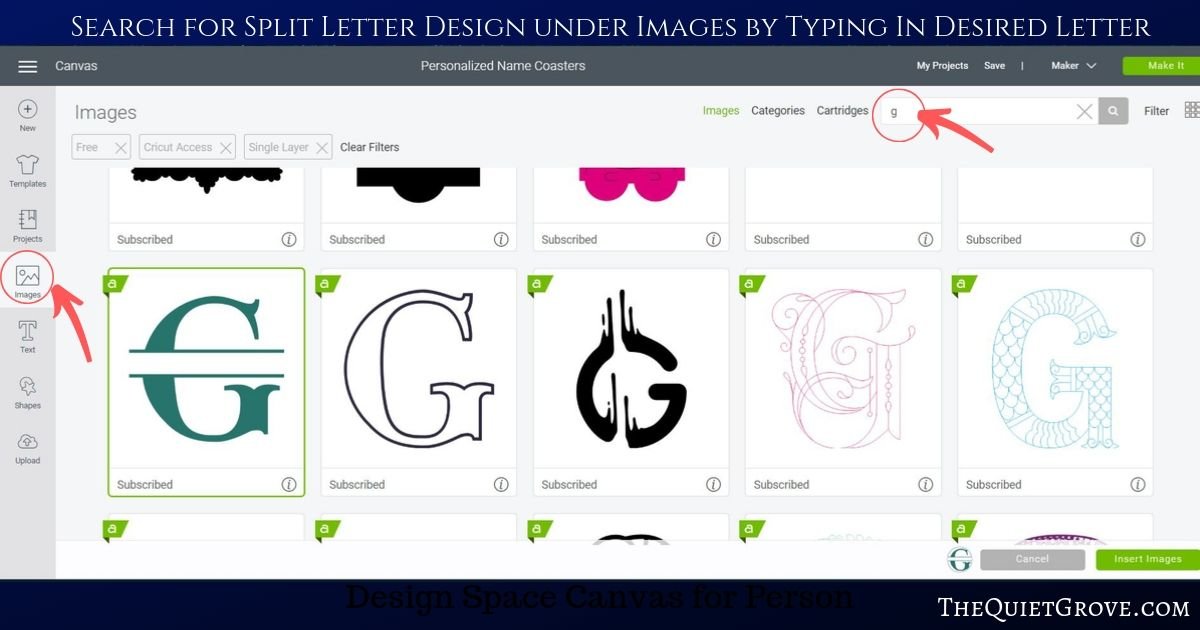
Switch out the split G design for your needed letter. (you can search in the images by typing in the letter you need.
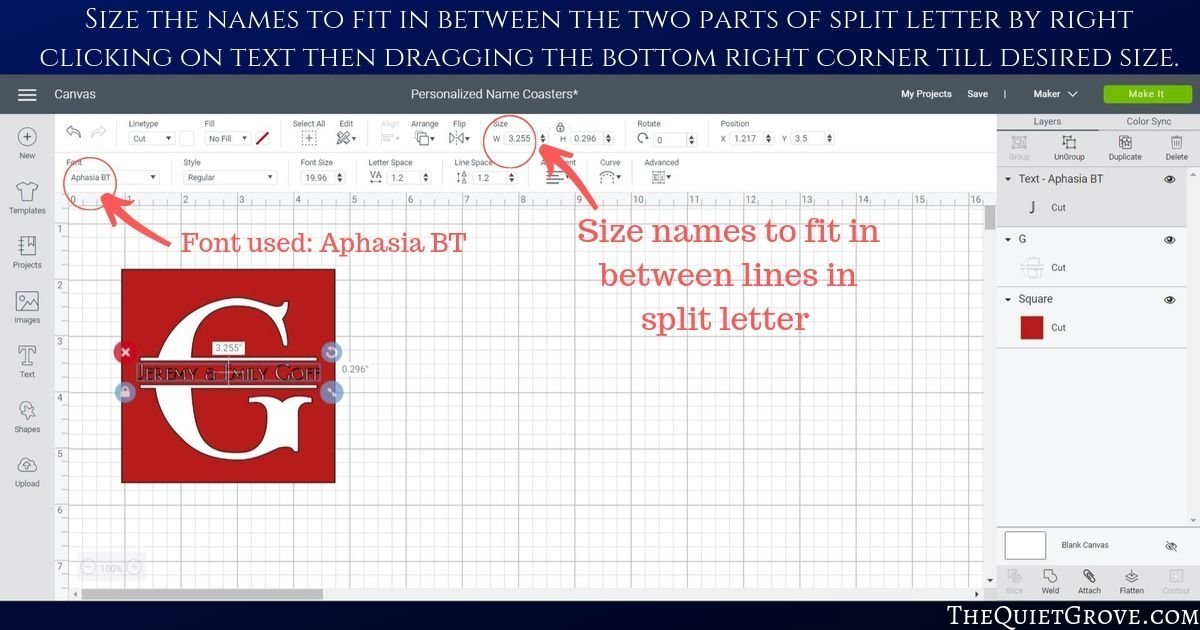
Size to fit within the square (3.15in wide)

Change text to the desired name and size to fit between the split parts of the letter. (** I used Aphasia BT font for the names)
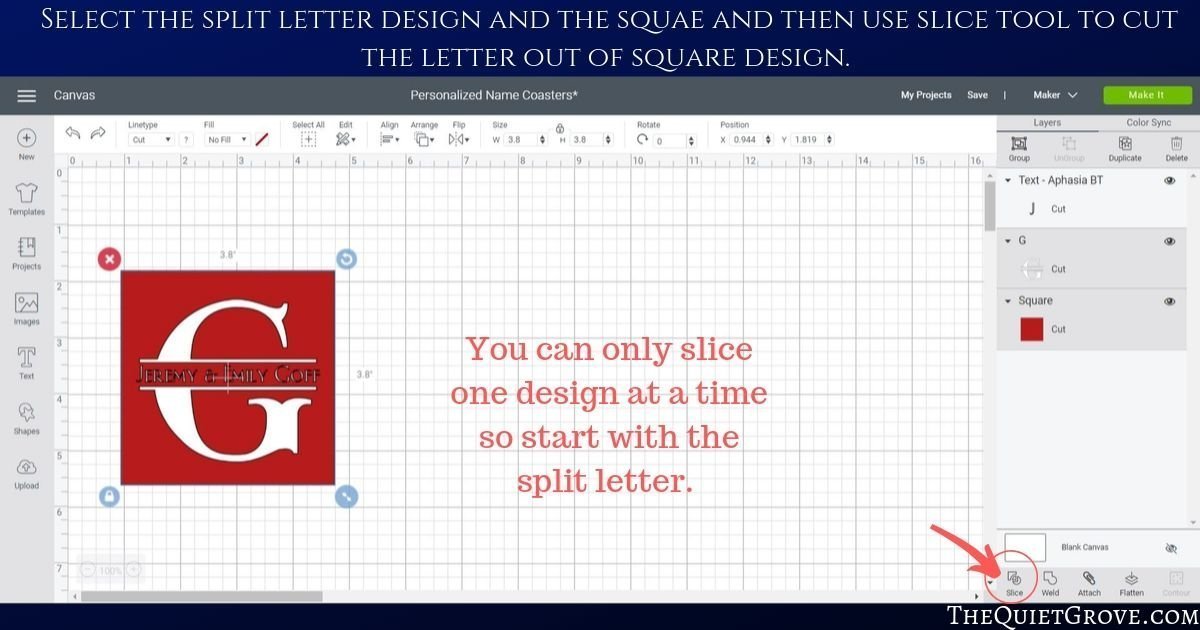
Select the square and the split letter and select the slice tool (delete sliced part.)
click on the square and move it back so names are showing on the top. select names and square and then use the slice tool again.
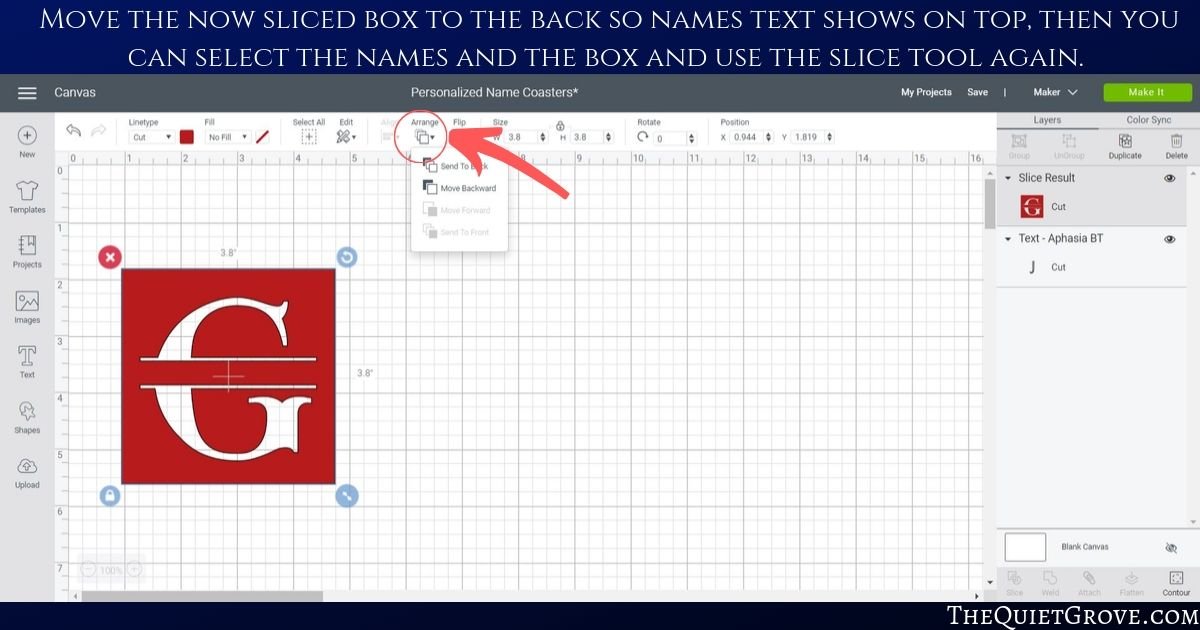
**Now you should have a square with a cut-out split letter with the cut-out names in the middle.
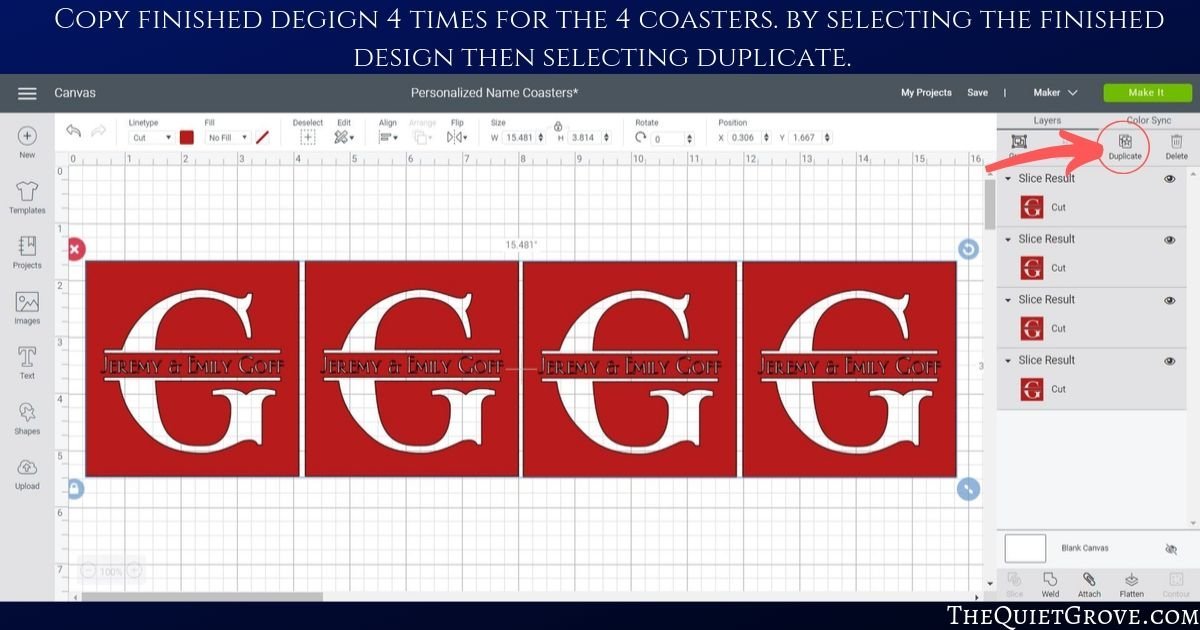
Copy 4 times (so you have the design for 4 coasters.
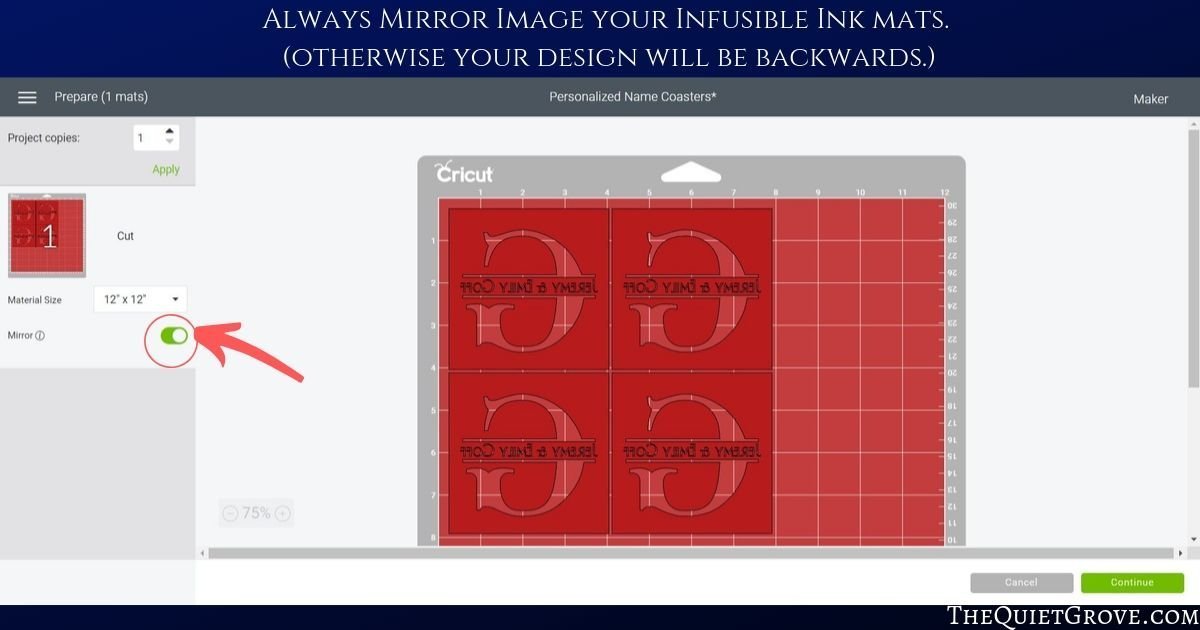
Click to Make and Mirror Image on Mat.
Move the dial on your Explore Air 2 to Custome and then select Infusible Ink Sheets from Materials List.

Load Infusible Ink Sheet ink side up onto the mat and load into the Maker.

After cutting the peel mat from the Infusible Ink Sheet and use a paper cutter to cut off unused ink sheet to use for future projects.
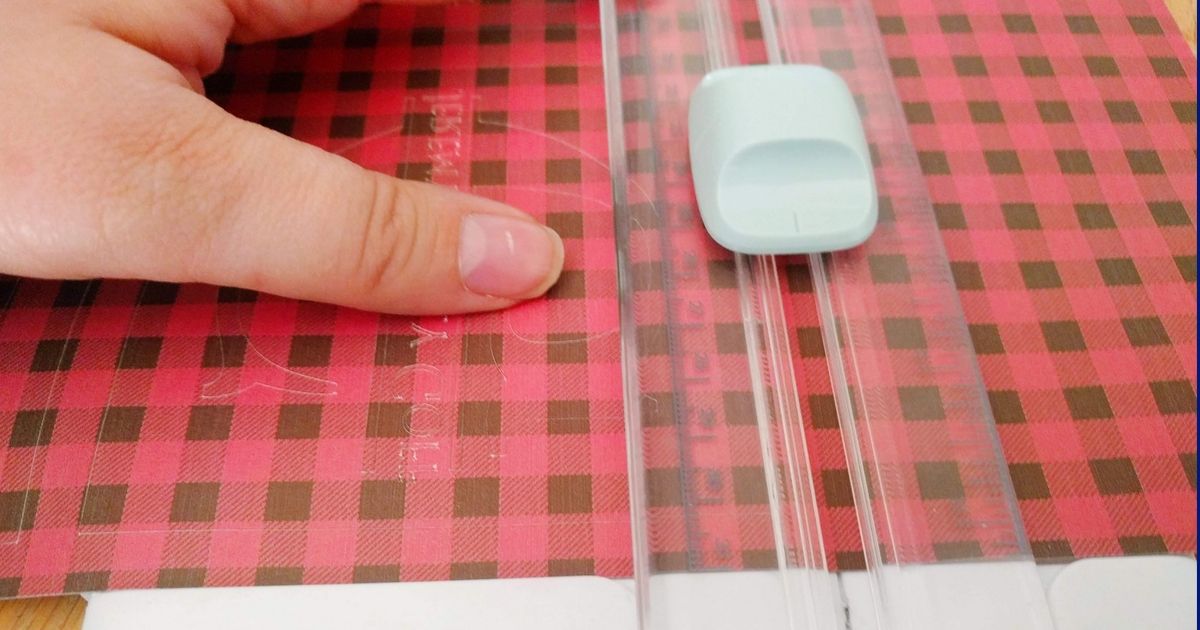
Weed the design.

Easypress Instructions:
Follow instruction found on Cricut Easypress Settings page --> HERE <--

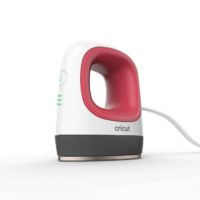
Preheat Cricut EasyPress 2 to 400°F and set the timer to 60 seconds.
Wipe tile coaster with a lint-free cloth.
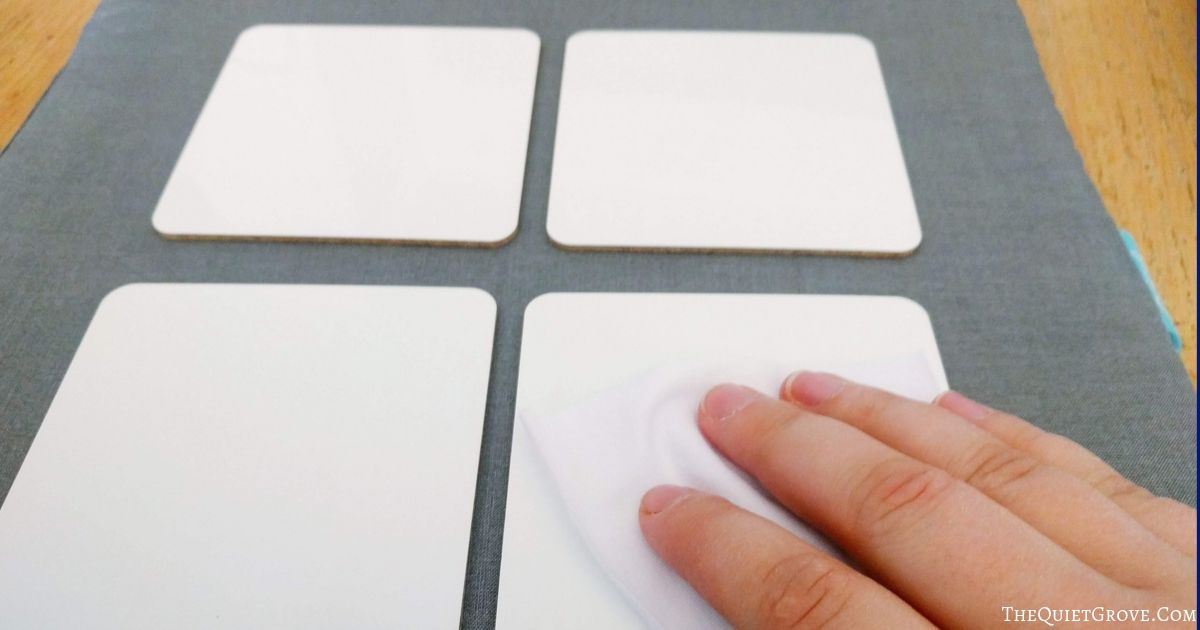
Place the design face down & Secure with tape, avoiding image area.
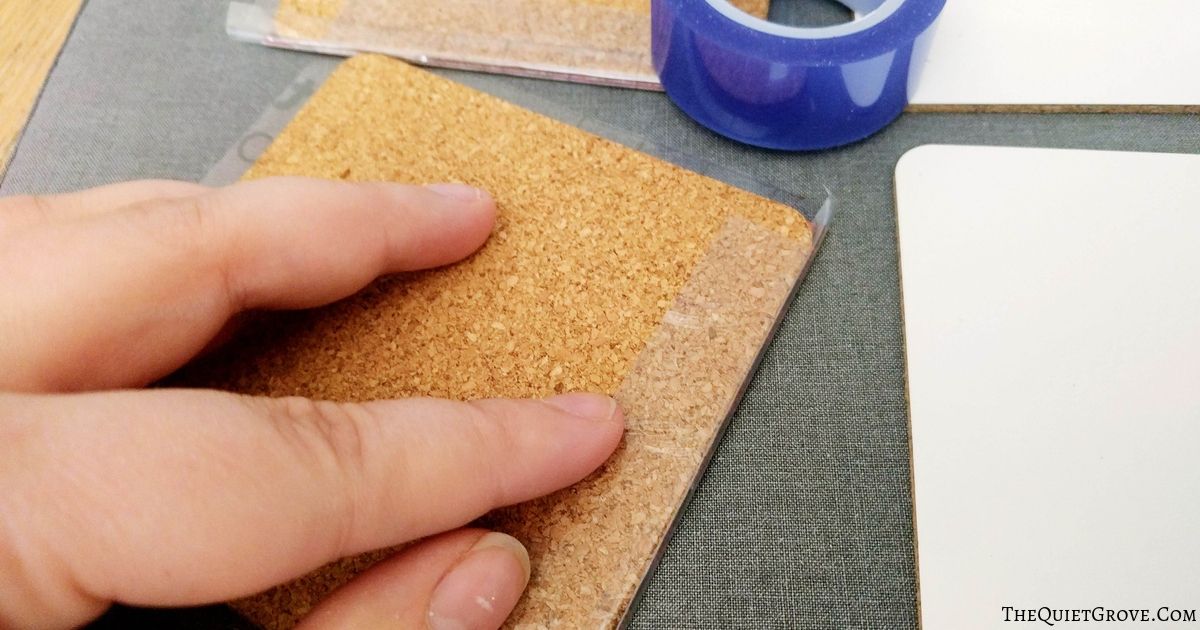
Cover the Easypress mat with butcher paper to protect the surface & Place coaster glossy side up.

Cover with clean cardstock

Center machine, press with no pressure at 400°F for 60 seconds.
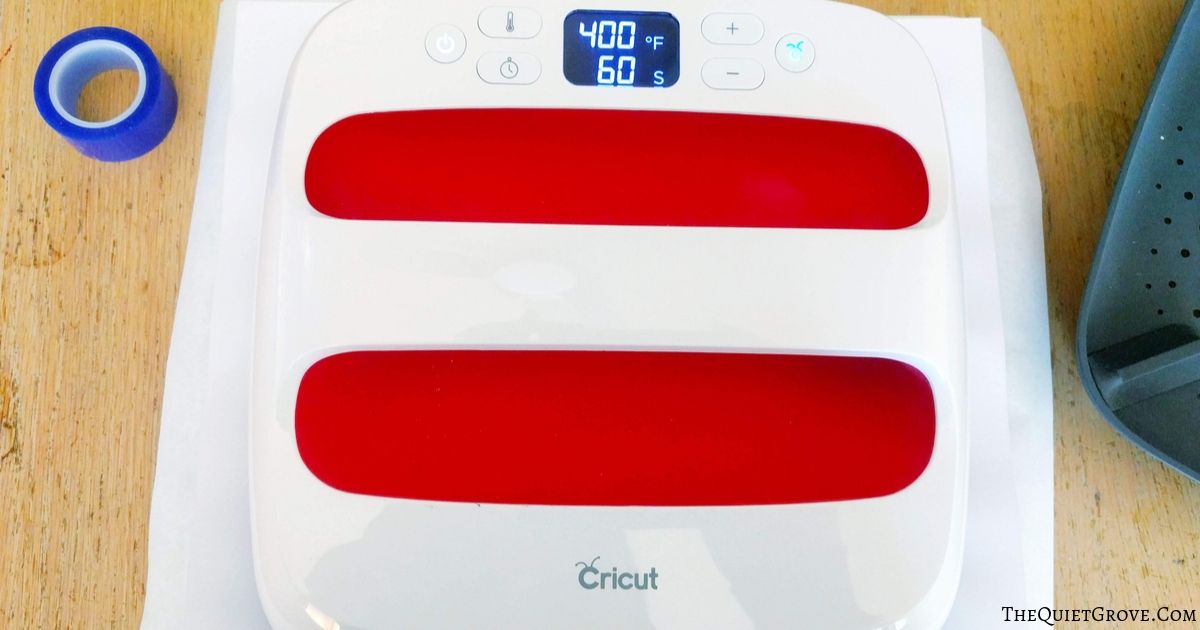
Lift press & Remove cardstock and let tiles fully cool.

Peel off paper.

Notes
* The Ink on the Infusible Ink sheets is delicate so make sure your hands are grease-free and completely dry before handling the sheets.
Recommended Products
As an Amazon Associate and member of other affiliate programs, I earn from qualifying purchases.


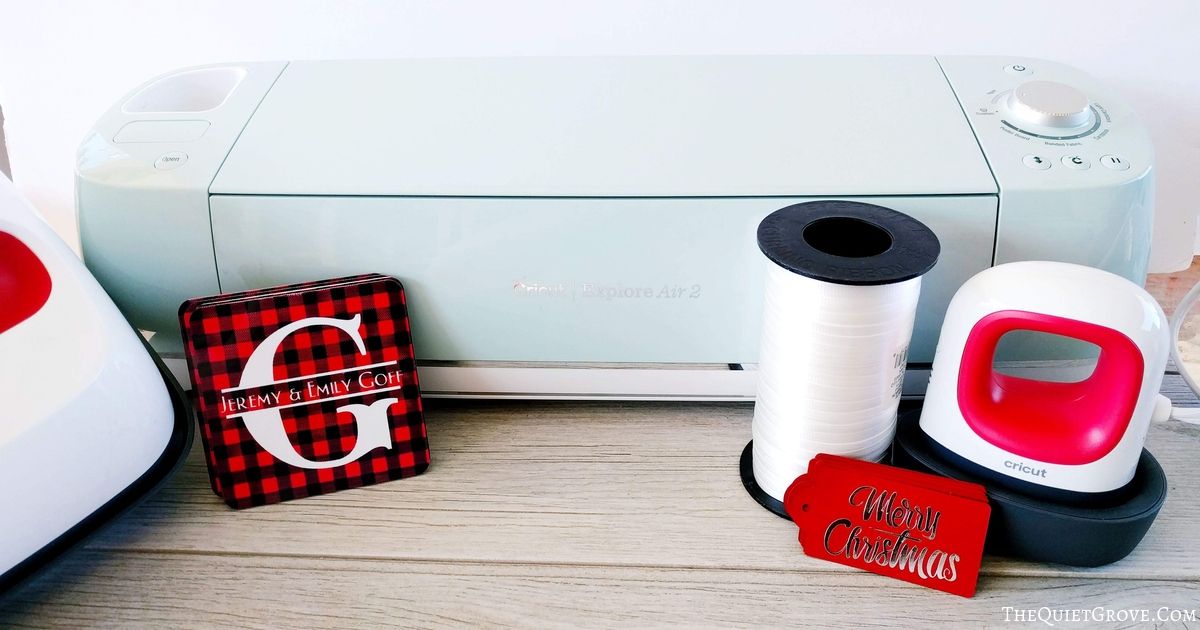
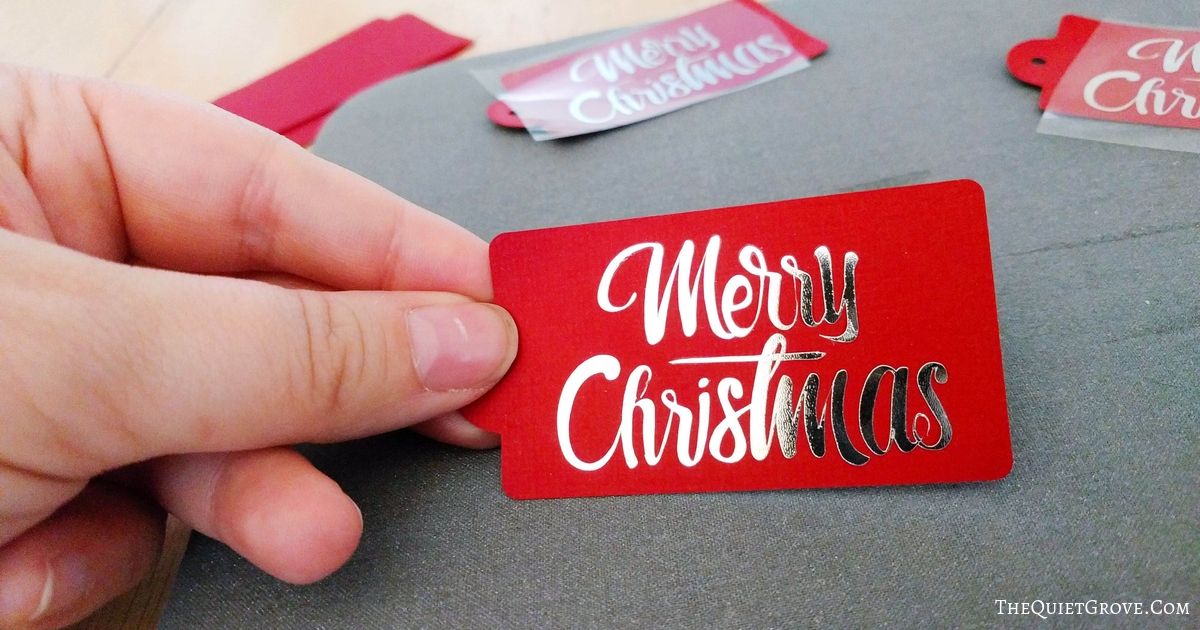
I just love how these coasters turned out! Since I love adding little custom touches to my gift wrapping, so while I wrapped my coasters simply with white ribbon I also added a fun foil "Merry Christmas" gift tag. Keep reading for the easy tutorial. (these tags seriously only took a few minutes to make!
DIY Foil Merry Christmas Gift Tags

Add a touch of bling to your gift wrapping this year with these easy to make foil Merry Christmas Gift Tags Using Foil Iron-on, Cardstock and an EasyPress.
Tools
Instructions
Cutting Instructions:
Open Cricut Design Space Canvas for Foil Merry Christmas Gift Tags -->HERE<--

Click Make it and select "Mirror Image" for the Iron-on Mat

Set the dial for your Explore Air 2 to custom and then select Foil Iron-on from the custom materials list.

Place Iron-on shiny side down towards the standard grip mat.
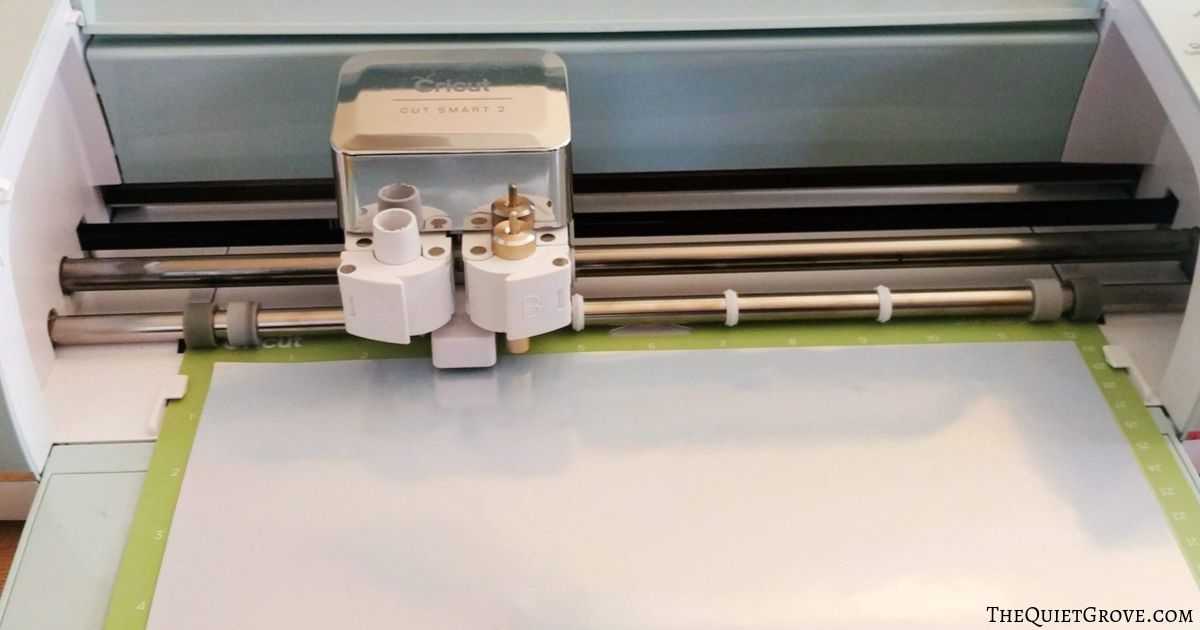
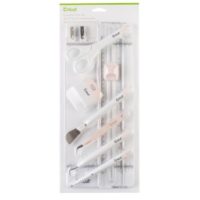
After cutting use the weeding tool from the essential tool kit to weed cut design.

Change Cricut dial to Cardstock and load cardstock onto standard grip mat to cut.
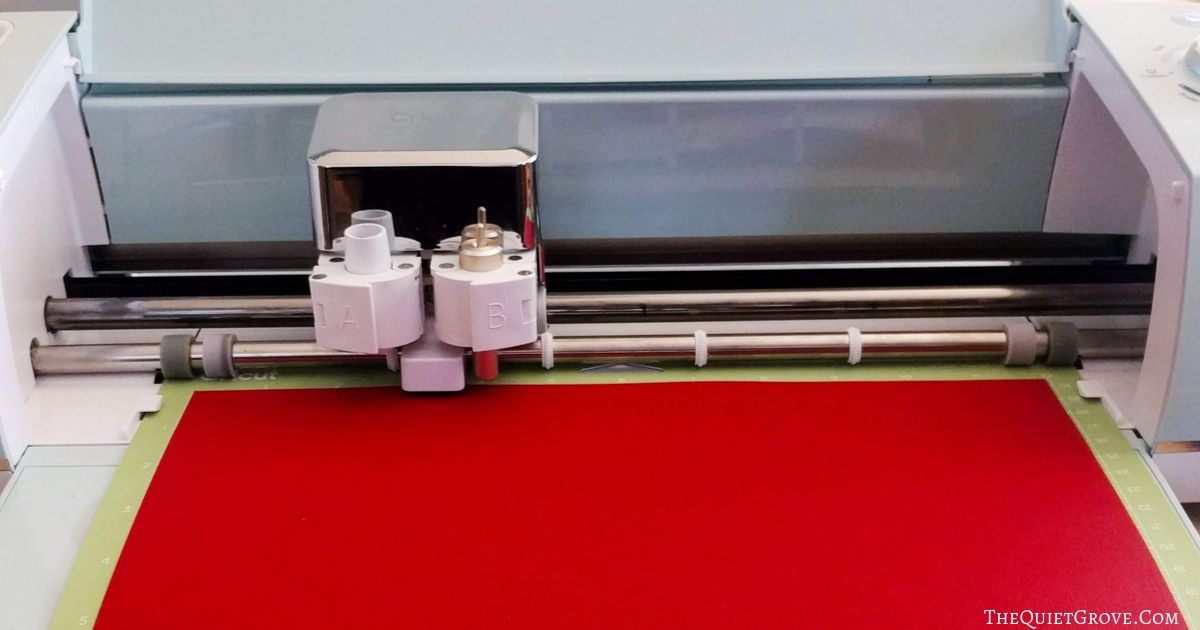
After done cutting peel mat from cut cardstock.

Easypress Instructions:
Heat Easypress Mini to the lowest setting (if using 6x7 Easypress 2 set to 270°)
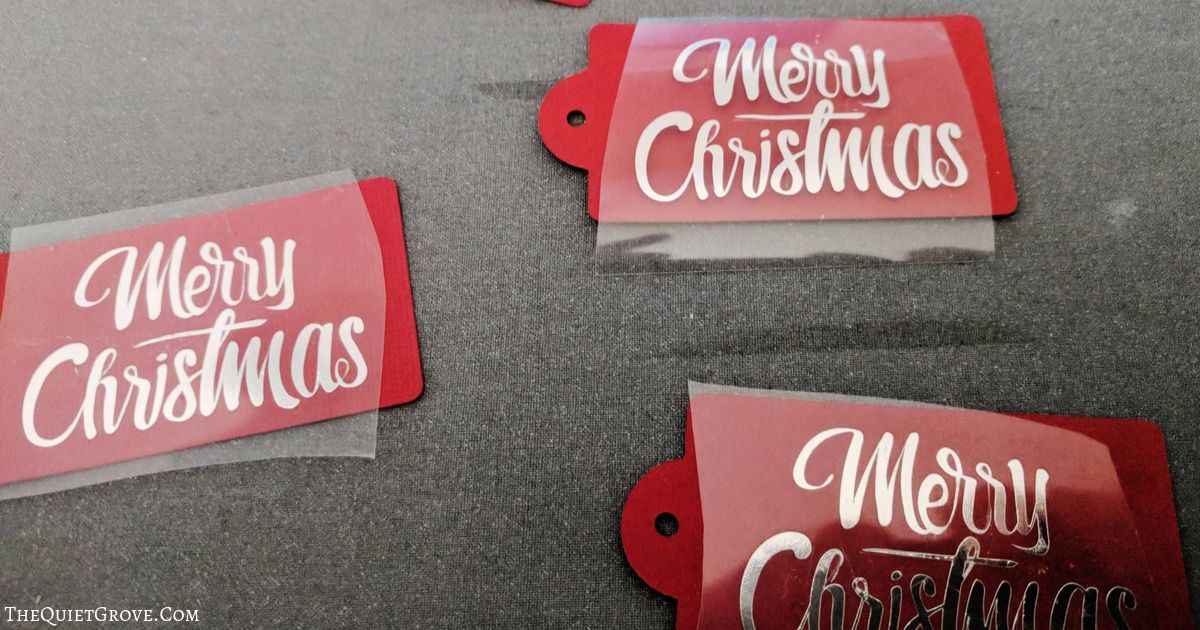
Preheat material for 5 seconds & place Iron-on design onto cardstock.

Press for 30 seconds.

Let cool then peel.
Recommended Products
As an Amazon Associate and member of other affiliate programs, I earn from qualifying purchases.


Now to decided what I'll make for my other five siblings (four of whom are married.) and my husband's three married siblings oh and of course my parents and my husband's parents... I know for one I plan to make something with a dragon and another something with a Harry Potter theme. Thank goodness I have my Cricut to help me make everything.

For wrapping my gift I simply stacked the coasters on top of each other and then used a ribbon to tie them together. For the final touch on my personalized gift I made these beautiful Red and Silver foil Merry Christmas Gift Tags. Get the design file and tutorial to make the tags below.
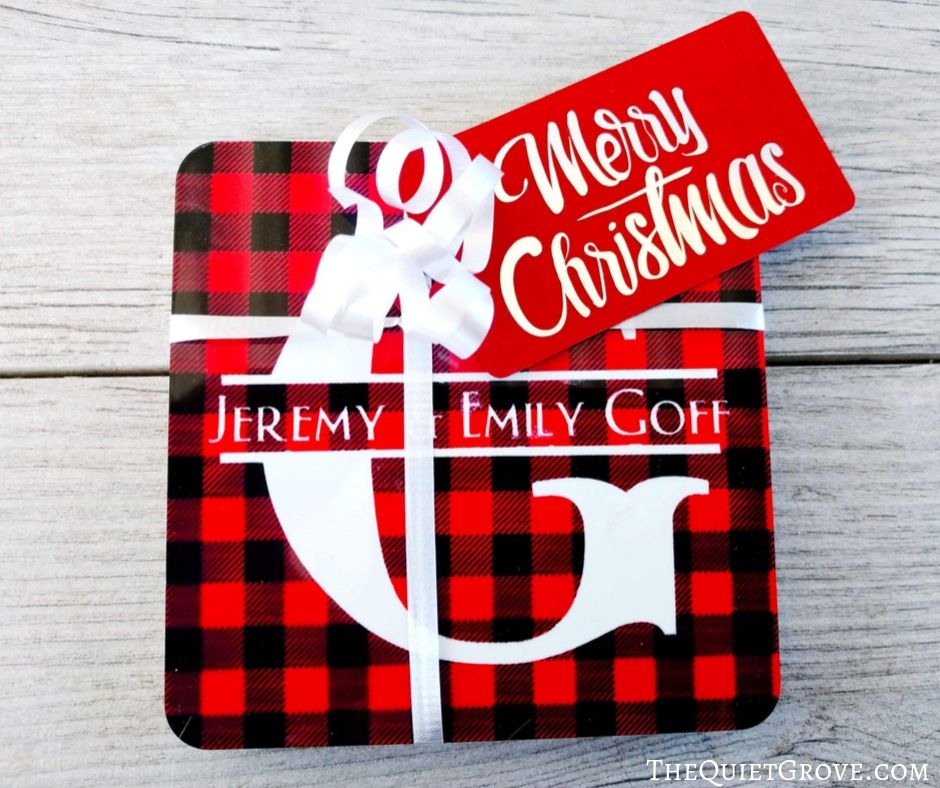
While the cost of buying these custom coasters would be high, the cost of the materials to make them (and time to do so) are minimal thanks to Cricut!
If you liked this post then check out these: (click on the photo to go to the Post)



One Comment
Comments are closed.