
Is the Cricut BrightPad Worth the Cost?


Have you heard of the Cricut BrightPad™?
Earlier this month when Cricut announced the release of their new BrightPad™ I couldn't wait to get my hands on one. I must not have been the only one who felt this way since they sold out within days. When my BrightPad™ arrived it totally felt like Christmas had come early for me. (though to be honest it always feels that way when I get a package from Cricut. Even if it is just some replacement cutting mats or new materials to cut.)

Why was I so excited? Well first of all this nifty device is suppose to make my crafting soo much easier.
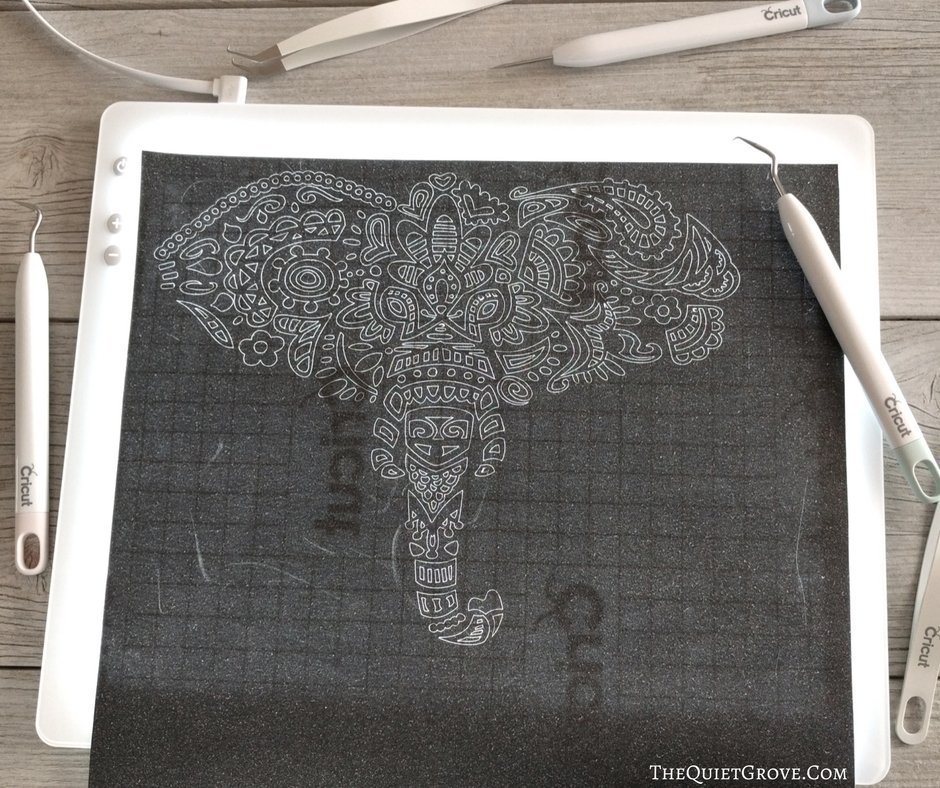
One of the things I love the most about my Cricut Explore Air 2 is the custom designs I can cut out of so many different materials. Some of these designs have been so intricate they would have been impossible for me to cut by hand. However, with the fun custom cut designs comes the sometimes daunting task of weeding them before you can officially use them. Weeding is not always fun. Especially when weeding very intricate cut designs or working with textured materials (like glitter vinyl, glitter cardstock and glitter iron on) where it can be hard to actually see the cut lines to know what to weed out.

How does the new BrightPad™ make weeding easier? Well, thanks to the even lighting across a large surface with 5 different light settings it is soo much easier to see the cut lines (even with textured materials). When Cricut released the BrightPad™ they also released a new weeding tool set to make it easier to get to weed out those tiny hard to get pieces. Having tried the tool set along with the BrightPad™ I can honestly say it's like night and day from my previous experience.
Is that all the BrightPad™ is good for?
Well, first of all, anything that can make my work easier is a BIG thing! Seriously, I am Homeschooling Mother of 3 who is also a full-time WAHM Blogger and Graphic Designer. Which is why, though I love to work with my Cricut (to create custom gifts, clothes, home decor items etc), I just don't have much time to do so.

But to answer the last question, no making it easier to weed projects is not all the BrightPad™ is good for. The BrightPad™ is, after all, a really quality modern ultra thin evenly lit light box. And what are light boxes traditionally used for? To trace images of course. When I told my husband about Cricut's new BrightPad™, my thoughts were all about applications dealing with Cricut. My husband (who is an illustrator/Graphic Designer) was excited to use it for projects requiring tracing (for him and for my daughter who is learning to draw like her daddy).

It was only after seeing my husband and daughter use the BrightPad™ for their tracing projects that I started seeing more applications for it. Tracing doesn't have to just be with a pen or a pencil. Baking is another love of mine. I especially love creating beautiful desserts and have been wanting to get into more chocolate work for my desserts. I can't wait to try my BrightPad™ out for making beautiful chocolate designs by tracing designs with melted chocolate.
You can also use the BrightPad™ to trace patterns for sewing projects, to see better when working with jewelry and beading projects, or for watercolor projects. Really there are soo many uses for the BrightPad™ that I can't wait to try out. I can also think of a few ideas for how I can use it for homeschool with my kids.

So is the BrightPad™ worth the price? YES ABSOLUTELY! And then some.
I just love things that have more than one use. It's like taking multi tasking to a whole new level. The BrightPad™ is such a simple tool. It's an ultra thin, light weight yet durable Light Box with 5 brightness settings on a large (9 in x 11.5 in) scratch resistance screen that has a non-slip base and 6 ft power cord and wall adapter. Like I said, a simple item that is just built really well and has a ton of practical uses. You can purchase the BrightPad™ and Weeding Tool set here.

Did I mention it comes in Mint to match the Cricut Explore Air 2? My inner girl is happy about all my Cricut tools and machines coordinating! So, how do you plan to use your BrightPad™? Cause you know you really really want one.
If you like this post you will like these too (click on the photos to go to the links)