
Introducing the new Cricut Joy!

This is a sponsored conversation written by me on behalf of Cricut. The opinions and text are all mine.
Making Custom Cards, Labels & Tags are now easier than ever with the new Cricut Joy!
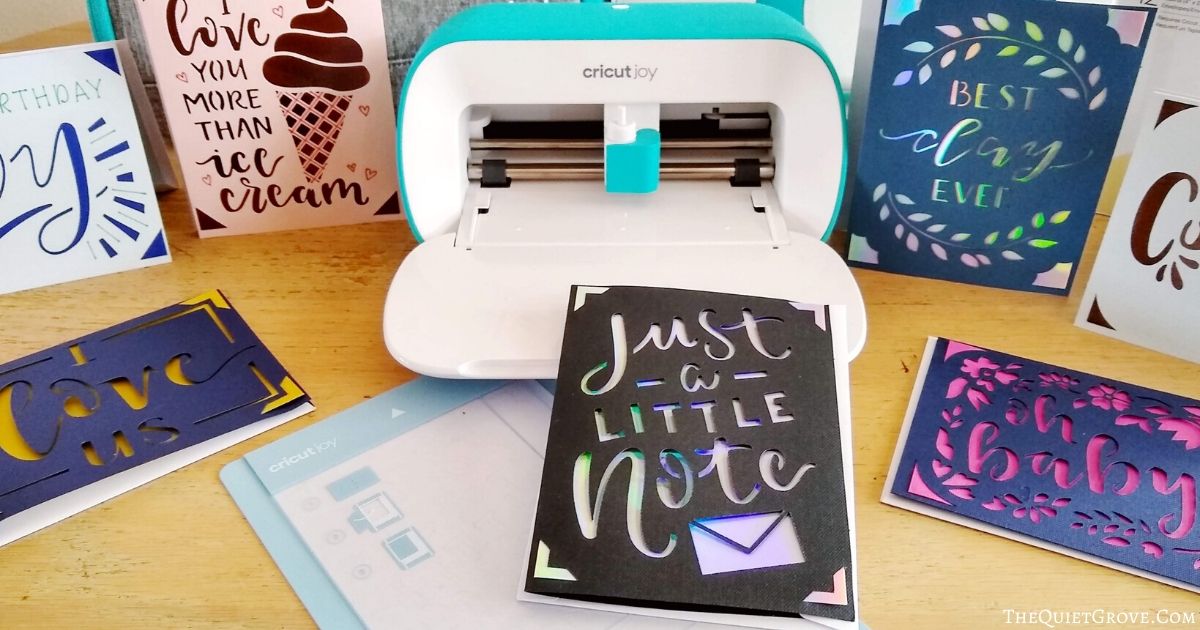
Earlier today Cricut's CEO made an exciting announcement. There is going to be a new addition to their beloved Cricut family. The new Cricut Joy. It's sleek, compact, portable, and like all the Cricut's before it, this machine is easy to use.
Years in the making, the Cricut Joy really is the perfect companion machine to the Cricut Maker and Cricut Explore Air 2. (which I will explain shortly). From the first moment I learned about the Cricut Joy, I was in love. This little machine can draw as well as cut and best of all with certain Smart materials (with up to 20' repeated cut capability) it doesn't even require a mat! Just think of the possibilities!!!
**You do need a mat for the Infusible Ink and Paper materials.

The Cricut Explore Air 2 and Cricut Maker are both amazing crafting machines. They can work with over a hundred different materials for making simply fantastic projects. Yet for those of you like me who don't have a dedicated craft room, they take time to set up. Because of the time and effort to set up my Cricut machines, I usually have to set aside a block of time to work on multiple crafting projects in one sitting. (Usually, I would craft for several hours each time) There were many times I had ideas to do quick spur-of-the-moment craft projects but didn't do them due to the time and effort it would take to set everything up.
However, Thanks to its compact design the Cricut Joy is conveniently portable making it easy to pull out and use right on your kitchen table, counter, nightstand, or coffee table for those quick DIY projects that I don't want to have to get out your Cricut Maker or Cricut Explore Air 2 to make since it will only take 15 minutes or less.
Even better with how adorably sleek the Cricut Joy is you can store this crafting machine outside your craft room for easy access.

Along with the Cricut Joy, Cricut has come out with tools, mats, and a whole line of materials to use with the Cricut Joy. They have a great selection of Smart Vinyl, Iron-on, & Labels you don't need a mat to use with the Cricut Joy. However, for those times, you do need a mat (Infusible ink products, paper projects, or when using scraps) they do have Joy mats available.
Due to its petite size, the Cricut Joy has a specially sized fine point blade as well special sized pens to write with. You can only use one at a time but they work great! Lastly, along with the Cricut Joy and smart materials, Cricut also came out with a special card mat & card kits that revolutionize custom card making.

Today I would like to focus on how to use the new Cricut Joy Card Mat, Insert Card sets, and the Cricut Joy to make beautiful custom cards in less than 5 minutes.
5 Minute Custom Cards with the Cricut Joy

Making custom cards has never been easier than now thanks to the new Cricut Joy, Cricut Card Kits and Cricut Card Mat!
With this tutorial, I'll show you how to make this beautiful "Just a Little Note" Card in less than 5 minutes.
Materials
Instructions
Open Cricut Design Space Canvas for "Just a Note" Card -->HERE<--
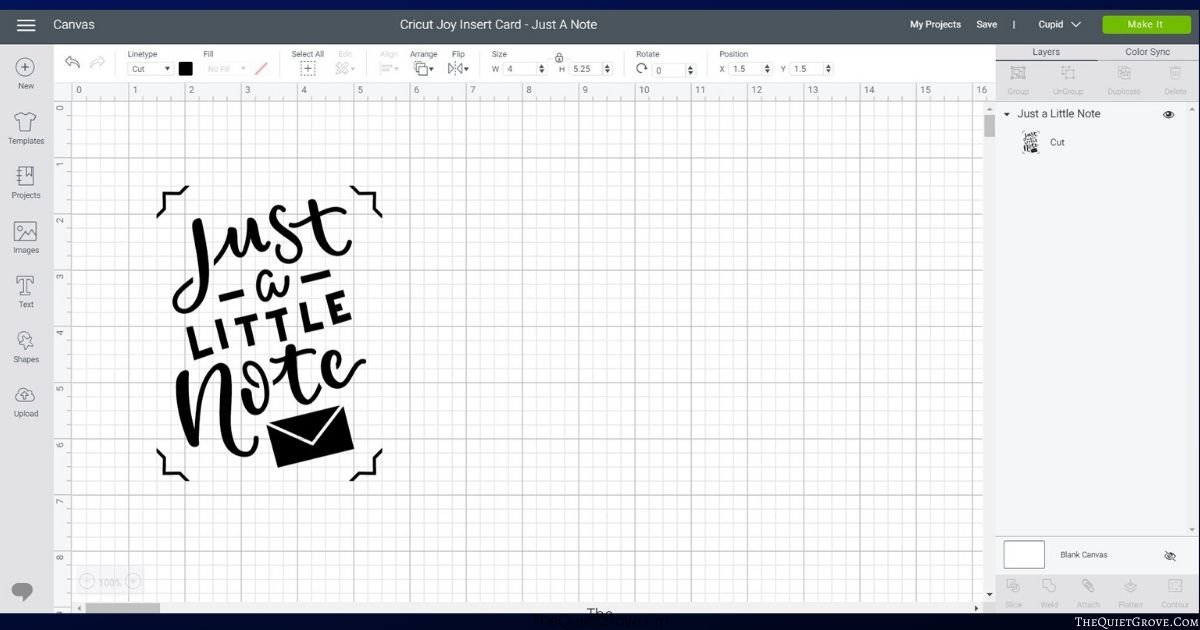
Click to make and then select that you are using the Card Mat

Open Cricut Card Kit and select the desired color of the card (and insert) if more than one in Insert Card set.

Peel off a protective sheet from the Cricut Joy Card Mat and fold an uncut card (from your card kit) onto the card mat.
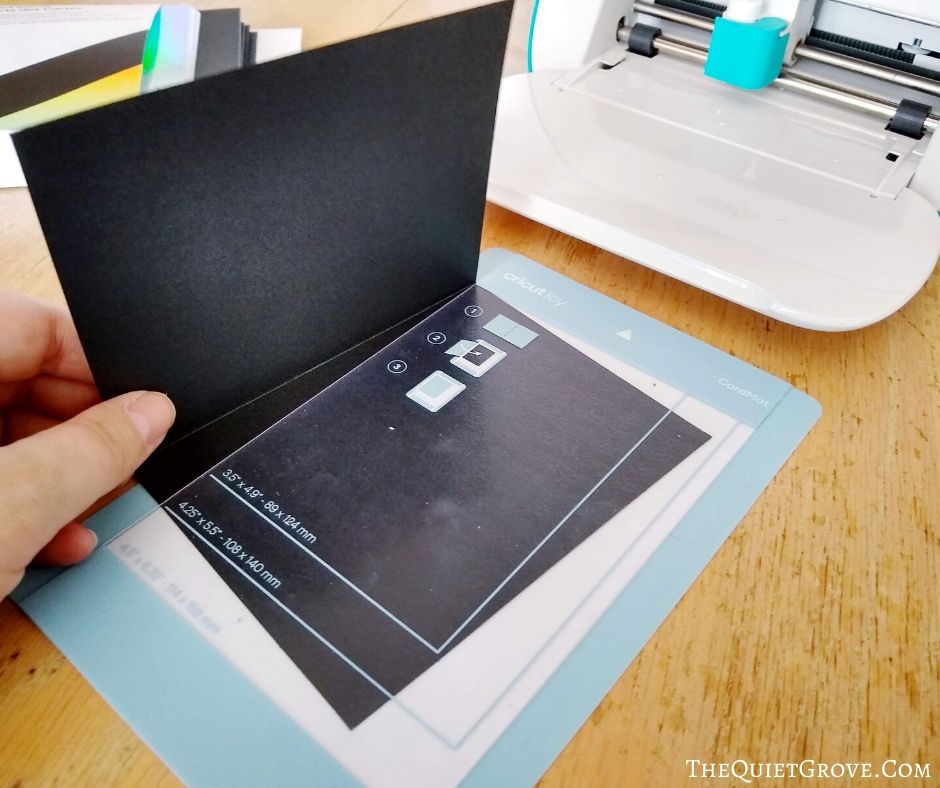
insert into your Cricut Joy (it will auto load) and then on your computer, tablet or phone select go.

After cutting gently remove the cut card from the Cricut Joy Card Mat.

insert the insert card into the inside of your cut card (it is kept in place by cutting corners on the front of the card.

And Ta-Da! You are done!

Notes
For this project, I used a pre-designed card found in Cricut Access. This card was specifically designed to be used with the Cricut Joy, card mat and card kits. You can find other card designs (like the ones shown in my photos) in Cricut Access.
** Cricut Card Kits come in a variety of Card and Insert style and colors.
Recommended Products
As an Amazon Associate and member of other affiliate programs, I earn from qualifying purchases.


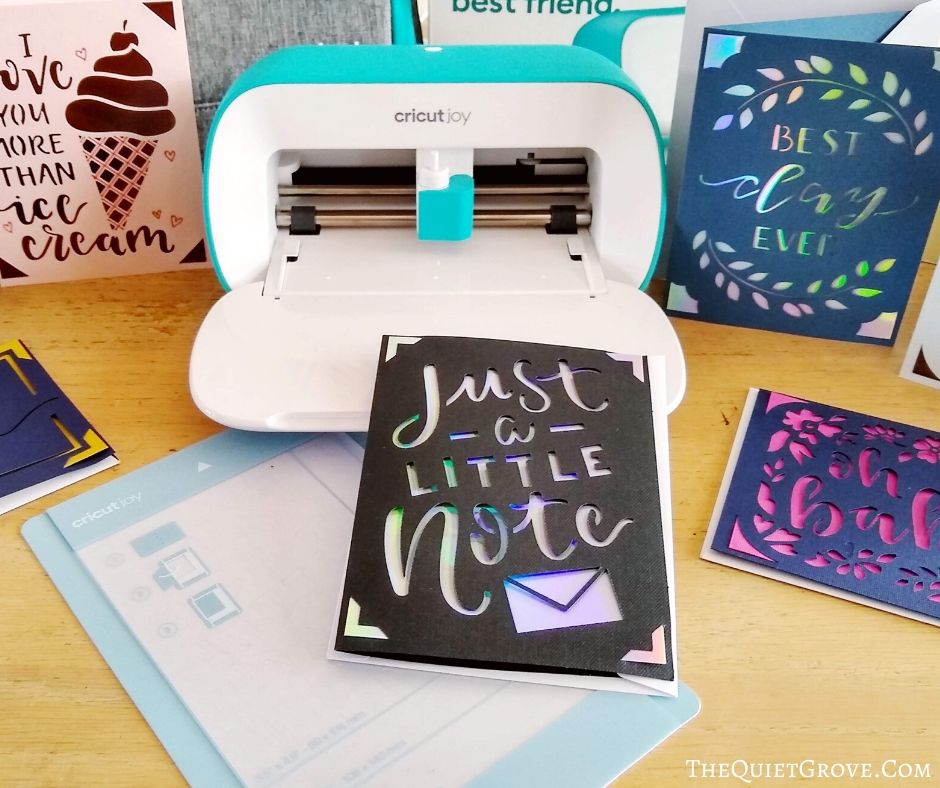
How gorgeous are these cards?!? I have to admit while I have loved the idea of making my own custom cards, I haven't done them that often in the past. Probably because each time I would try I would end up spending way to much time making the cards and would have gluey hands to show for the effort. Now that I can make custom cards in just minutes with no glue necessary I think I will make them more often.

The Cricut Joy, Smart Materials, Insert Card sets, & Cricut Joy Card Mat will be available to purchase online and in stores March 1st. Head on over now to learn more about this adorable, small, sleek, portable, and easy-to-use Cricut crafting machine that is the perfect companion to your Air 2 or Maker!



I have Cricut can’t wait to get started thanks for all tips
Yey enjoy your new cricut!